

 AU
 USA
 Canada
 UK
 EU
 New Zealand
 Japan
 Singapore
 UAE
 India
 South Korea
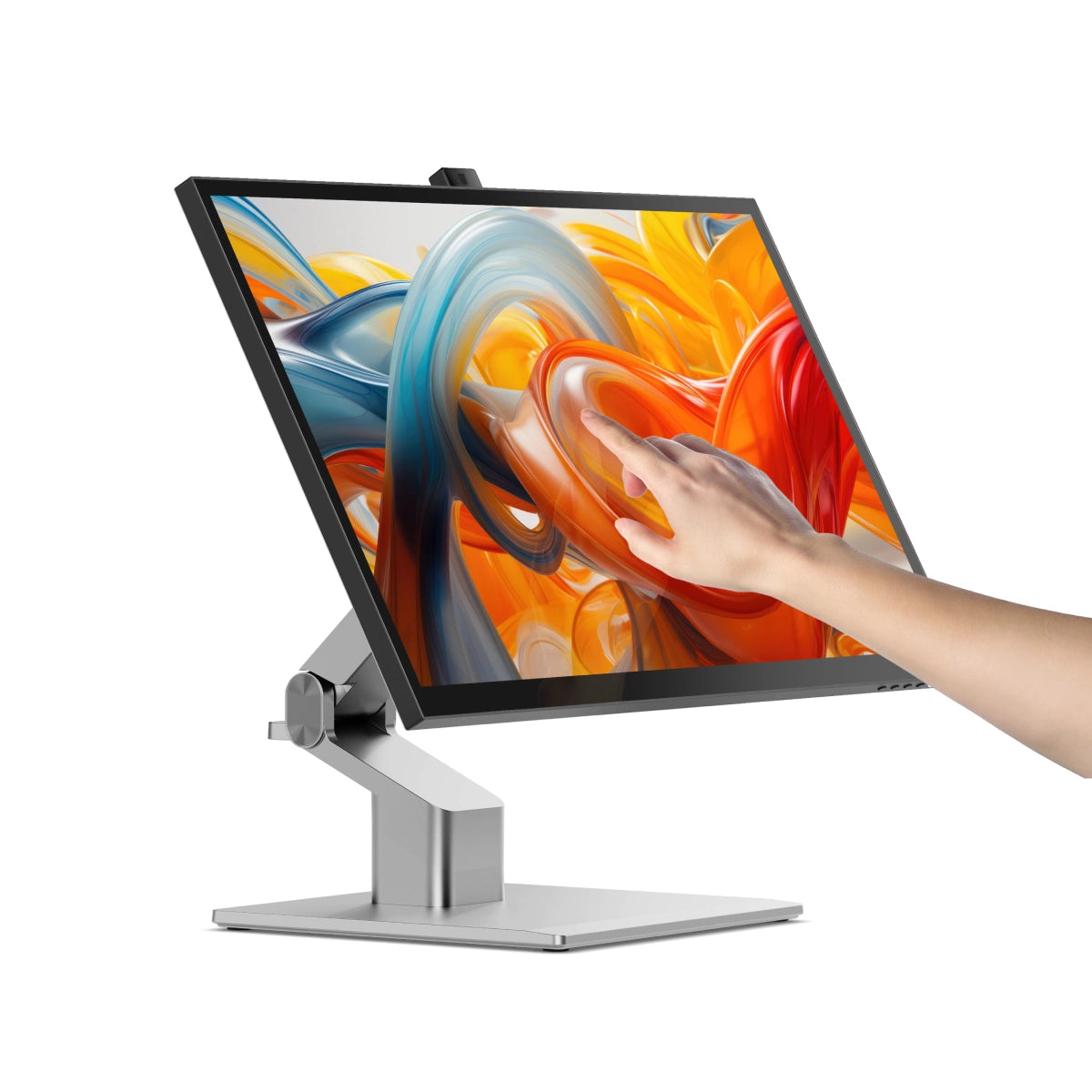
Clarity Fold Touch 27" 4K UHD Monitor with 65W Power Delivery, Webcam, Touchscreen & Fold Stand




Clarity Fold Touch 27" 4K UHD Monitor with 65W Power Delivery, Webcam, Touchscreen & Fold Stand
Couldn't load pickup availability
Specifications
Specifications
Downloads
Downloads

“Alogic Clarity Pro Touch Display – Best touchscreen display for Mac”

"This versatile 27in 4K touchscreen monitor, with a built-in webcam and 65W power delivery, is perfect for creative professionals."

"Alogic’s Clarity Pro Is An Affordable Alternative To Apple’s Studio Display"

The Best Monitors for Photo Editing in 2024

“Alogic's New Clarity Pro Displays Include a Retractable Webcam and Optional Touchscreen Functionality”
The World's Leading
for Mac and Windows


65W USB-C Charging Dock

Unrivalled 4K Touchscreen

Edge To Edge Display
From graphic designers to document signers, professionals around the world rely on Clarity Touch’s precision 4K touchscreen to simplify their workflow. With intuitive multitouch gestures and precision stylus support, Clarity Touch empowers you to use your Mac or Windows computer like a 27” iPad™.


3840x2160
Resolution
16:9
Aspect Ratio
350 nits
Max Brightness
60Hz
Refresh Rate
178°
Viewing Angle
100%
sRGB

Legal
Clarity Touch allows judges, attorneys, and witnesses to easily navigate, annotate and sign documents and other evidence, streamlining trial preparation and enhancing presentations.

Architects
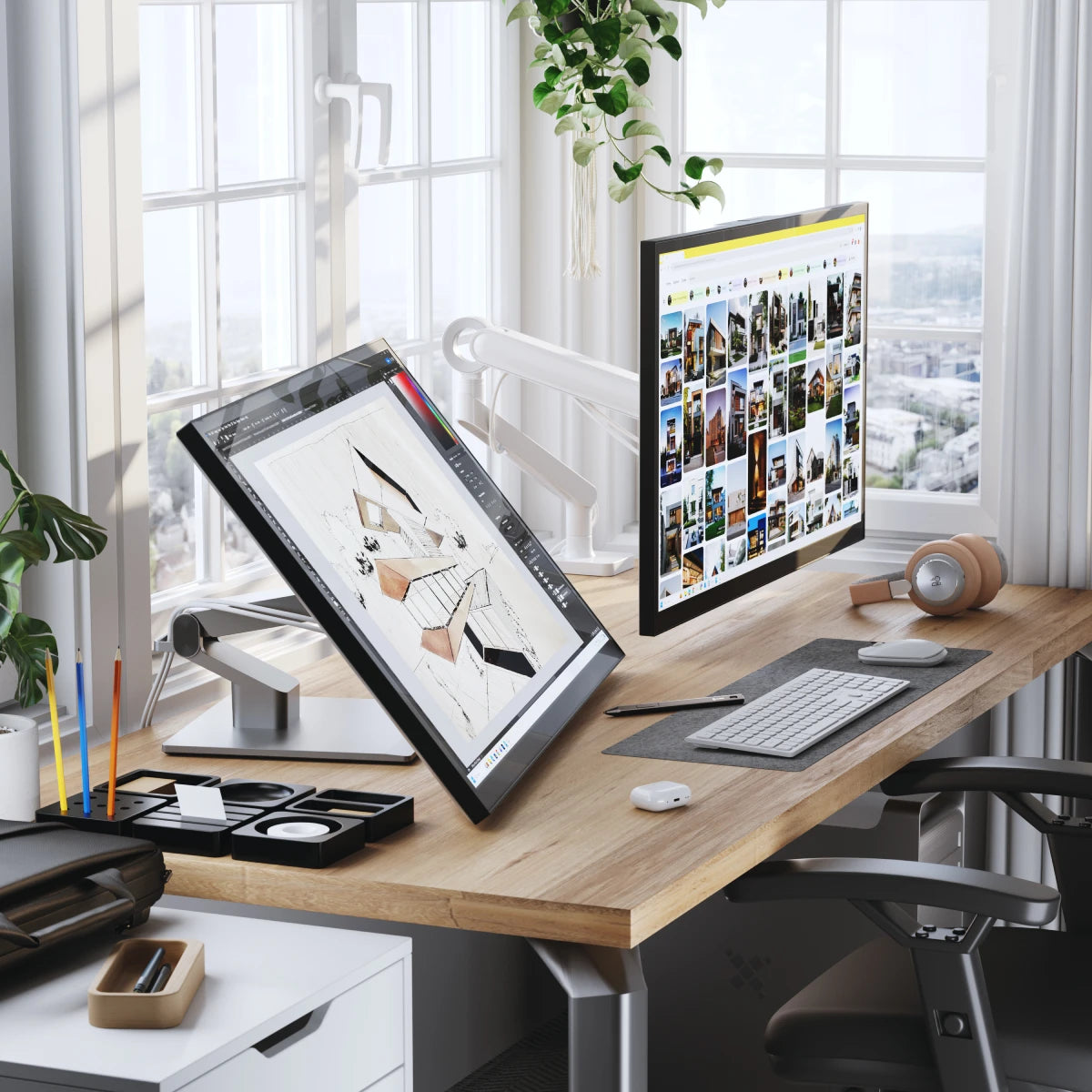
With the Clarity Active Stylus, architects can easily create, modify and mark up digital blueprints and plans, while multitouch makes it easy to review and present designs to stakeholders.

Healthcare
Clarity’s intuitive multitouch makes it painless to review X-rays with patients, while the Clarity Active Stylus allows doctors to quickly mark up images and sign key documents.

Manufacturing
Clarity Touch lets engineers get hands on with their designs in the preproduction phase, then use the precision stylus to mark-up required changes for the next revision.

Clarity’s glossy screen delivers sharp, vibrant and accurate colours, perfect for use in bright home offices, with 100% sRGB coverage and an Avg. ΔE well below 1.

Clarity Touch’s glorious 27” 4K (3840x2160) screen gives you plenty of screen space for multitasking with two windows side by side, or examine the finest details of your latest creation.
Whether you rely on Mac or Windows to get things done, rest assured knowing Clarity’s intuitive multitouch gestures and pressure-sensitive stylus support are fully supported by your favourite applications.


When paired with the snap-on Clarity Active Stylus (sold separately), Clarity Touch becomes the perfect drawing board for your next big idea, or a convenient way to annotate or sign documents your business requires.
4096 levels of pressure sensitivity and tilt-support make our stylus ideal for use in Photoshop, Illustrator and other apps that artists love, while everyone can appreciate its months-long battery life and pairing-free connectivity.
Clarity Touch’s ergonomic stand folds down in seconds into a sturdy, supportive surface for hours of comfortable stylus use. When you’ve finished with the stylus, it’s easy to raise the monitor up to a comfortable eyeline for everyday work.
Clarity Touch’s smart pop-up webcam is perfectly positioned to capture your best angle. When the call is over, the webcam automatically slides down into the monitor, protecting your privacy.


The robust USB-C hub integrated into every Clarity monitor takes the complexity out of connectivity by recharging your laptop and linking it to two USB devices.

USB-A Ports
For your favourite accessories
USB-B Port
Data connection for old computers.
HDMI Ports
Provides 4K video
DisplayPort
Provides 4K video
USB-C Port
4K video & 65W laptop charging
Audio Output
For headphones or speakers
Power Input
Powers your monitor
USB-A Ports
For your favourite accessories
USB-B Port
Data connection for old computers.
HDMI Ports
Provides 4K video
DisplayPort
Provides 4K video
USB-C Port
4K video & 65W laptop charging
Audio Output
For headphones or speakers
Power Input
Powers your monitor

General
However, it does need to plug into a USB-C port compatible with PD (Power Delivery) on your computer.
These can sometimes be identified by the presence of a battery icon next to the port on your laptop, but often you’ll need to check the user manual or manufacturer’s website to figure out which USB-C ports support PD.
All Thunderbolt 3, 4 or 5 ports support PD.
Connected to Clarity via either:
1. Clarity's USB-C port
2. Clarity's USB-B port
Clarity’s "Active USB" mode is set to the same USB port you've connected to your computer.
To change Clarity's "Active USB" mode, navigate to "USB Switch" in the "Other Settings" menu of Clarity's main menu.
For example: if your computer is connected to Clarity via USB-C, you would select "Type-C" in the "USB Switch" menu.
1. Remove the Clarity Fold Stand from its packaging and insert the stand stem into the base. Secure these with the thumbscrew underneath the fold stand’s base.
2. Place your Clarity Touch monitor face down on a secure, flat surface like a table.
3. Insert the stand’s monitor plate into the VESA mount on the back of your Clarity Monitor, then secure it in place with the four mounting screws provided.
Touchscreen
On Windows, and Mac with our Touch Screen Drivers installed, Clarity also supports most active styluses using the Microsoft Pen Protocol (MPP) 2.0 or later. This includes the ALOGIC Active Surface Stylus (ALASS).
However, Clarity Pro Touch may not take advantage of all the functions of a stylus, such as pressure sensitivity and shortcut buttons.
Yes.
To open Clarity’s On-Screen Display (OSD) menu using touch controls, swipe left with two fingers in screen’s bottom right corner. With the menu open, just use your fingers to adjust Clarity’s settings.
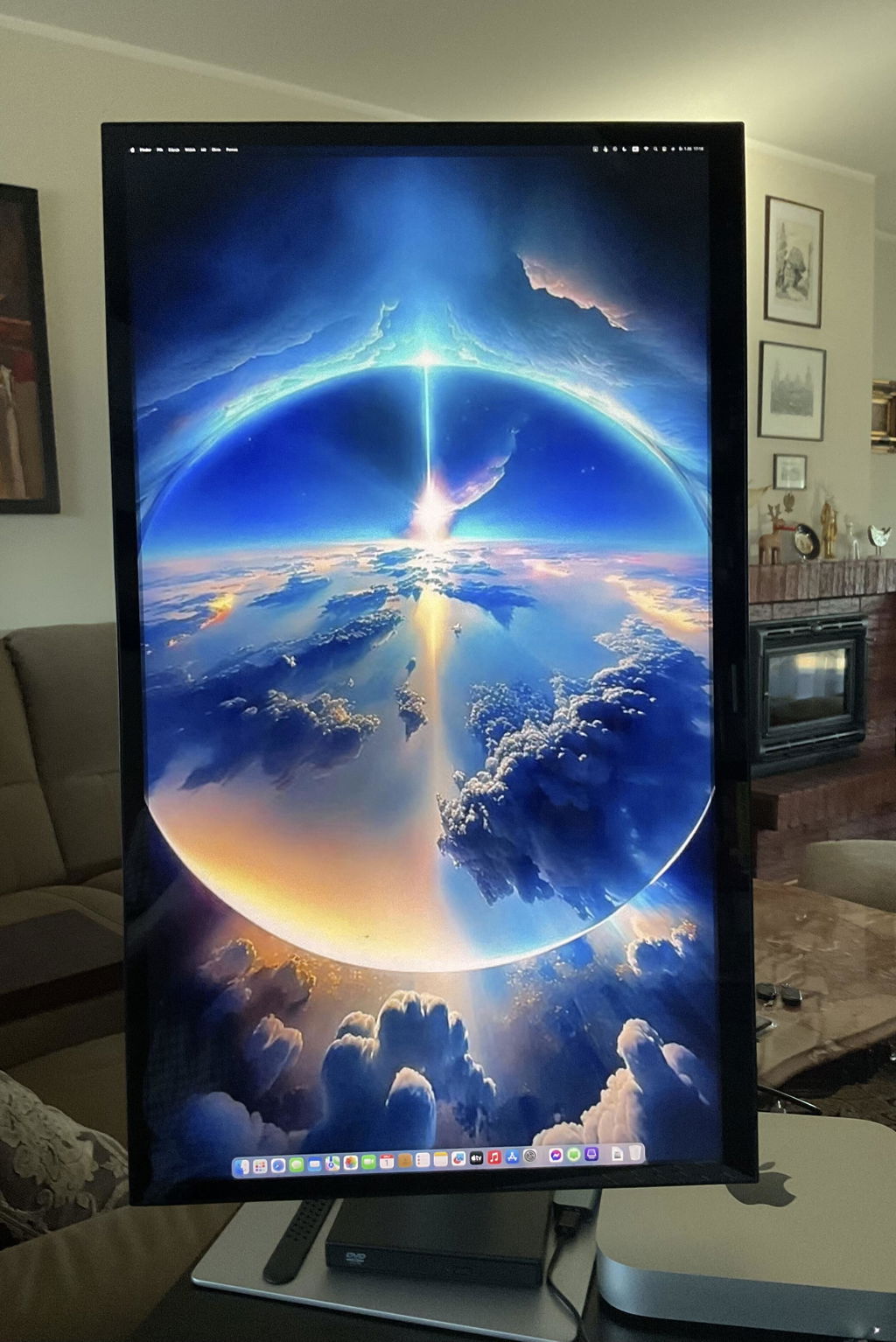
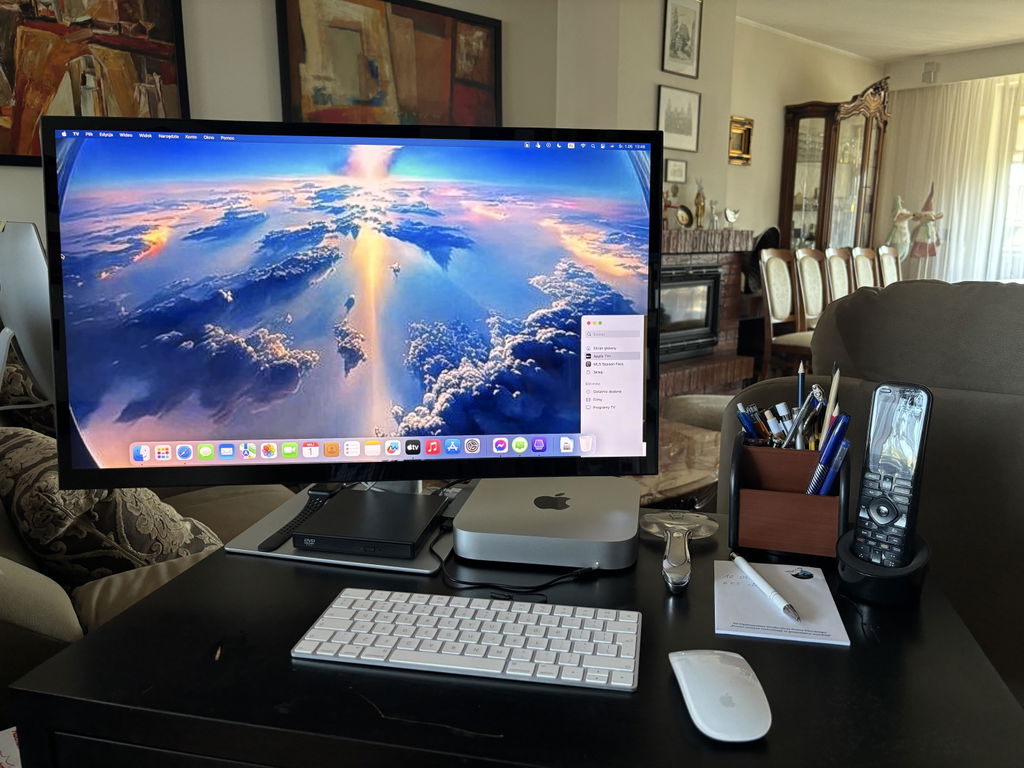
I'm impressed. The screen meets my expectations in every respect. Screen resolution, operation in horizontal or vertical position, as well as the touchscreen, everything works perfectly, as described. An additional advantage is the retractable camera. I am very pleased with the purchase and I highly recommend this high-class product from the company to anyone interestedthis high-end product from Alogic. Kind regards. Marek
Clarity Fold Touch 27" 4K UHD Monitor with 65W Power Delivery, Webcam, Touchscreen & Fold Stand
Perfect!
Ok this far.
Clarity Fold Touch 27" 4K UHD Monitor with 65W Power Delivery, Webcam, Touchscreen & Fold Stand
Even though it’s a tad pricey, there is no doubting the quality. Very easy to set up, the picture is pin sharp and the touchscreen very responsive. Not tried the webcam yet. Extra points for the stand too and even more for the customer service. Recommend the product and the company too.
The monitor has worked great and very functional for my work needs. Alogic customer service was very professional and addressed my questions regarding the products that were out of stock and expedited my shipping in the process. Highly recommend these products!
L’image donnée par cet écran est superbe, j’ai l’impression que c’est l’image de mon iPhone en 27 pouces. Quant au tactile, j’utilise le pilote pour MacOs et le résultat est très satisfaisant, même si quelquefois il est aussi pratique d’utiliser le TrackPad.
NICE
Still waking for delivery
After ordering a supposed in stock monitor I received an email some days later saying it was now out of stock. Then the fun began as the chat makes it hard to follow up an order instead the person you chat with “will get the appropriate person to look into it and come back to you”. For me this went on multiple times for 6 weeks with every date given to me turning out to be meaningless. I even received a tracking order of someone else’s already delivered monitor.
At the same time of following up my 4K monitor I asked about the arrival of the much touted 5k monitor promised by Alogics CEO since June last year. Similar to my already ordered monitor delivery follow ups it began “2 weeks away but check our website for updates” then changed each follow-up still not to eventuate.
I get it that supply issues happen, I get it that it’s a busy time of year but … be transparent and don’t mislead people. To be without a monitor for 6 weeks was a significant inconvenience and sending me the unusable Touch pencil in the first week was simply cruel.
The final laugh came when the monitor turned up unannounced on my doorstep only to be followed 2 days later by an email advising me my monitor had just been despatched (sadly not second one arrived). As for the 5k version only time will tell if it ever eventuates and if I’m game enough to buy one.
Good response touch screen, best 4K resolution with touch screen
I really like my Clarity Pro 27 inch Alogic touchscreen monitor. Perhaps the next iteration could have a mat screen and have pressure sensitivity similar to a XP pen or Hurion monitors. I also think the stylus pen should be magnetically charge similar to an Apple Pencil does to an iPad. All in all the solid purchase.
Generally excellent but a couple of monitor points. I have to buy the tilt stand separately so now I’m left with the original stand which feels like a waste of time and money. The tilt stand could do with being a little higher. At its highest, it’s a couple of inches lower than the original stand. The stylus needs a stronger magnet to hold it to the monitor, I’ve knocked it off and send it flying a few times.
Lovely large touch screen, just what we needed family status board.
So the actual screen quality is great, however the software (on a mac) is a bit of a pain, it's kind of messy and feels dated.
The main issue is that the camera doesn't really point at you on a video call so you have to dip the screen until it's actually pointing downwards to get your head in... I asked them about this, the reply was (and I quote):
"I’ve spoken to our Technical lead and it seems that this is an issue shared by almost all displays with a built-in camera."
The other issue is that there is no (as far as I can find out) camera software for the mac, and the colour is a bit flat and lifeless. (Could be my face...). It would be great if there was something were I could adjust the colour balance of the camera.
Also the pen battery has a short life. Need to remember to charge it daily.
I would say that I like the definition of the screen and it's a great size, looks good and the colour is pretty accurate. The touch screen, once you've got it set up right is great, I spend a lot of time in photoshop and it's REALLY useful.
It's taken me a long time to review as I couldn't previously get my review verified through their system and I left it...
I like so much Clarity pro touch 27”.
Easy to install, wonderful to look at
L'écran en lui même est très esthétique, le rendu de l'écran est vraiment beau et le tactile est plutôt bon. Ceci étant dit, quand on travaille un dessin au stylet je vous recommande d'acheter un gant pour tablette sinon vous serez régulièrement embêté car l'écran détectera par exemple votre auriculaire au lieu du stylet... C'est un gant qui aurait été fort apprécié dans le carton. Ensuite j'aurai aimé avoir un logiciel pour stylet et des fonctions tactiles suivant le logiciel où je me trouve...
Bref l'écran me semble de bonne qualité mais au vu du prix, peut mieux faire.
Sadly, the hype around this monitor is not true. It is NOT an alternative to the Studio - it looks good, solidly built and at a good price. But even compared to my iMac screen you can see the difference in quality. I thought I’d use the touch screen more but in reality I wish I’d saved the money and gone for the non-touch screen version.
Il monitor soddisfa le aspettative, lo uso per note e schizzi a mano libera, anche durante riunioni in teams e funziona perfettamente
The only reason why I gave it 4 stars is because it would’ve been nice to have a 120 Hz display
Very happy about the purchase and delivery process. Very happy about the product too. High quality monitor! Slightly disappointed about the webcam resolution and about the audio (it’s not powerfull enough even for small things… so I have to open my full audio system all the time - and therfore it’s the screen sound system is not usefull at all since I won’t be using it ever…
I received my monitor 2 days ago and am still in awe at this stunning display. From ordering online, to delivery and installation, everything was a breeze. It is bright and crispy and very handsome on my desk indeed. Out of the box, I noticed a bit of jerkiness on some video playback on YouTube and some streaming sites - but it could also be my internet speed. I am very happy with this product I am now thinking of ways to justify the purchase of a second one.
I have been working with the 27inch Touchscreen Pro for a couple of weeks now and I love it. I’m mainly using it for editing video with the Alogic stylus and I’ve really enjoyed being able to work directly on the timeline. The only thing I might change would be to have a Matt screen rather than the glossy.
So far I have greatly enjoyed the build quality and functionality of my touchscreen - particularly the fact that I can use my existing pen (bought for a Surface laptop) seamlessly on it.
Two very small niggles.
1. Having ordered the folding stand I am left with a very nice, but useless to me, basic stand. Surely the green option would be not to include this when a folding stand is ordered.
2. A nice selection of quality cables is included, but the USB C one is substantially shorter than the others. In my case, only just long enough to reach from PC to screen - in fact when inclining the screen, the USB pops out! I have purchased a longer cable, but what a silly oversight...
Other than this - very happy with my purchase.
Connected to my M1 Macbook Pro and my ROG Dual screen Gaming Laptop were seamless. Just a joy to use. Took some time before some software to catch up with the touch gestures and now it's great. Will get the 32inch when it's 10bit for sure. Great for Flight Sim!! Planes never looked so real!
I was looking for some nice 4k touch monitors for my work. After a few reviews, I found these to be the next best thing to APPLE studios. Probably better for the price. Shipping was faster than expected. I bought the 2 27 inch monitors. The pictures are really nice, I did initially opt for the 32 inch but seen reviews that 32 inch was only 8 bit depth for color while 27 inch had more 10 bit. The 27 inch are a good size, I'm happy with it. Initially bought the monitors separately when checking out but then notice the bundle pack that 80 dollars less. Customer service offered to refund the difference. There was a delay in communication but Garry from ALOGIC help desk was able to resolve my problem swiftly. Thank you Garry. The stylus pen is nice as well. Can stick on magnet holders and work with my laptop touch screen. Good company, just needs a little work on customer service with some agents. Would buy again and recommend to others.
A great companion for my Mac Studio, works perfectly and easy to setup!